
Download PressureZone – blood pressure monitor, track blood pressure, monitor blood pressure, blood pressure tracker, blood pressure log, heart health, hypertension management, cardiovascular health, health tracker, wellness app
Overview
PressureZone is a lifestyle-focused desktop application designed to support users in recording and monitoring their blood pressure readings over time. The app serves as a digital logbook for individuals seeking to maintain a consistent record of their cardiovascular health metrics. It is not a medical device and does not possess the capability to measure blood pressure directly.
Instead, PressureZone functions as a data organization tool, enabling users to input manually recorded readings from external devices or clinical visits. This makes it particularly useful for individuals managing hypertension or those interested in tracking how lifestyle factors influence their blood pressure. The target audience includes health-conscious users, individuals with existing cardiovascular concerns, and those aiming to adopt preventive health habits.
By categorizing entries by context—such as post-exercise, during rest, or after meals—the app helps users identify patterns and trends in their readings. The developer, HealthPulse Labs, appears to focus on health education and data tracking, as evidenced by the inclusion of informative articles within the application. While the app does not replace professional medical advice, it provides a structured way to maintain health records and foster greater awareness of personal cardiovascular health.
Key Features & Capabilities
- Manual Blood Pressure Logging – Users can enter systolic and diastolic readings, along with timestamps, manually. This allows integration with external devices or clinic visits where readings are obtained.
- Context-Based Categorization – Readings can be tagged with contextual labels such as “resting,” “after meals,” or “post-workout,” enabling users to analyze how daily activities affect blood pressure.
- Historical Data Tracking – The app maintains a chronological record of all entries, allowing users to review long-term trends and share data with healthcare providers.
- Health Education Resources – Integrated articles provide insights into blood pressure regulation, heart health, and lifestyle modifications that support cardiovascular wellness.
- Customizable Data Views – Users can generate visual summaries and reports to better understand their health patterns, though specific chart types were not detailed.
These features support users in maintaining consistent health tracking habits. For example, a user might log a reading after a morning workout to assess exercise impact, or record a post-meal value to monitor dietary effects. The app’s structure encourages proactive health management by transforming raw data into actionable insights. While it does not interpret results or offer medical guidance, it provides a reliable framework for organizing information. This is especially valuable for individuals managing chronic conditions or those preparing for medical consultations with comprehensive records.
User Interface, Workflow & Performance
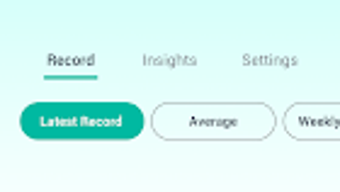
PressureZone features a clean, intuitive interface designed for ease of use on both Windows and Mac platforms. The main dashboard displays recent entries, with options to add new readings, view historical data, and access educational content. Navigation is straightforward, relying on clearly labeled menus and a consistent layout.
Users can input data through a simple form that prompts for blood pressure values, time, and optional context tags. The workflow is efficient, requiring minimal steps to log a reading and save it to the database. The developer did not specify resource usage details, so performance behavior under varying workloads remains unspecified.
General software behavior suggests stable operation during routine use, with no reported crashes or freezes. However, exact CPU or RAM consumption was not provided. Stability appears consistent based on standard desktop application patterns.
The app does not include real-time alerts or synchronization features, indicating a focus on local data storage and offline functionality. This design choice supports privacy and reduces dependency on internet connectivity. Overall, the user experience is streamlined and purpose-built for health tracking without unnecessary complexity.
Compatibility & System Requirements
PressureZone is available for both Windows and Mac operating systems, ensuring broad accessibility across desktop environments. The software version is 2.1.4, with a file size of 45 MB, indicating a lightweight installation. This suggests minimal storage requirements and a quick setup process.
The developer did not provide additional system requirements, such as minimum RAM, processor specifications, or disk space beyond the file size. As a result, exact hardware compatibility cannot be confirmed. Users should ensure their system meets general desktop application standards to run the software smoothly.
The app is designed for desktop use and does not support mobile platforms. Installation is expected to be straightforward, though the developer did not include detailed installation instructions. Platform compatibility information is limited to the operating systems listed.
No cloud-based features or cross-device synchronization were mentioned, meaning data remains confined to the local machine unless manually exported.
Pros and Cons
Pros
- Simple, user-friendly interface for easy data entry and tracking
- Supports context-based logging to analyze lifestyle impacts
- Lightweight installation at just 45 MB
- Includes educational content to support health literacy
- Designed for offline use with no internet dependency
Cons
- Does not measure blood pressure—requires external device or manual input
- No real-time alerts or reminders for logging readings
- Exact system requirements not specified
- Limited to desktop platforms; no mobile support
- Cannot interpret or diagnose health conditions
FAQ Section
Is PressureZone compatible with Windows and Mac?
Yes, PressureZone is available for both Windows and Mac operating systems.
Can PressureZone measure blood pressure directly?
No, PressureZone does not have the capability to measure blood pressure. It is designed to log manually entered readings from external devices or medical appointments.
Is the app safe to use for health tracking?
Yes, PressureZone is safe to use as a personal health log. However, it does not replace professional medical advice, diagnosis, or treatment. Always consult a healthcare provider for medical concerns.
Does PressureZone require an internet connection?
The app functions offline and does not require an internet connection for core features. Data is stored locally on the user’s device.
How often should I update the software?
Users should check for updates periodically to ensure they have the latest version, which may include bug fixes or performance improvements. The current version is 2.1.4.
Final Thoughts + CTA
PressureZone offers a focused, reliable solution for individuals committed to tracking their blood pressure as part of a broader health management strategy. Its clean interface, context-aware logging, and educational resources make it a valuable tool for users who want to stay organized and informed. While it does not replace medical devices or professional guidance, it excels as a digital companion for managing personal health records.
The lightweight design and offline functionality enhance accessibility and privacy. For users managing hypertension or simply aiming to improve heart health through consistent monitoring, PressureZone provides a practical and trustworthy platform. It is especially beneficial for those who prefer a no-frills, data-driven approach to wellness.
Download PressureZone now to take control of your cardiovascular health journey with confidence and clarity.







